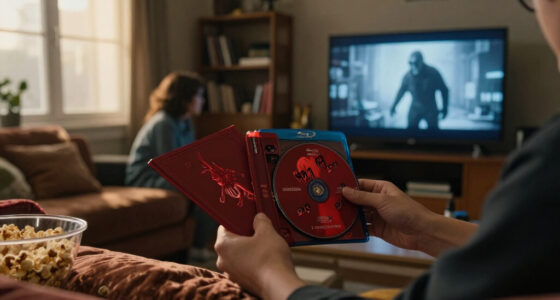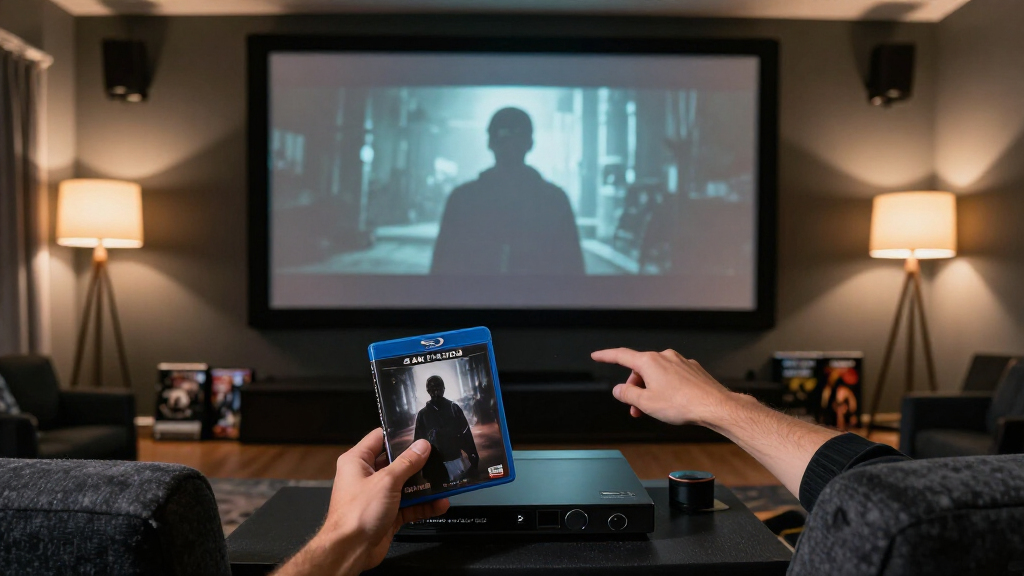
TL;DR
A 4K UHD disc has a higher resolution than Blu-ray and may add HDR, but those features do not guarantee a better-looking horror film. Compare the restoration, grading, grain, dark-scene detail, audio, extras, region compatibility, and your own player and display before upgrading.
The word “4K” on a horror release can promise a sharper picture, yet the first thing you notice might be grain, a dim hallway, or a black level that looks different from the Blu-ray on your shelf. The format tells you what the disc can carry; it does not tell you how carefully someone prepared the film.
If you’re deciding whether to upgrade a favorite, you’ll get more from comparing the restoration, HDR grade, shadow detail, soundtrack, and extras than from counting pixels alone. A little research can save you from buying the same master twice—or help you find the edition that makes a candlelit room feel alive again.
This guide gives you a practical way to compare horror 4K UHD and Blu-ray releases, from an older film scanned from film elements to a modern disc with HDR. You’ll also learn what the specs mean, how your room and equipment affect what you see, and when the older Blu-ray may still be the right edition for you.
Compare the scan source and restoration notes before treating the UHD label as proof of a new master.
UHD has four times the pixel count of Blu-ray, but the source and transfer limit how much detail reaches your screen.
HDR, resolution, grain, and shadow detail are separate parts of the presentation; inspect them together.
Check the soundtrack, extras, included Blu-ray, and region compatibility as well as image quality.
Upgrade when the new restoration, grade, sound, or collector contents fit your equipment and what you value.
A collector’s field guide · Physical media
How to Compare Horror 4K UHD and Blu-ray Releases
A 4K label tells you what a disc can carry. The restoration, grade, grain, dark-scene detail, sound and your viewing setup determine what you actually see and hear.
Four times Blu-ray’s pixel count
A strong transfer can still shine
Source · grade · texture · sound · setup
Match the edition to what you value
Find out what image each disc is built from
A new scan can reveal fine detail and the limits of the source. Restoration choices shape how natural that detail feels.
Trace the film elements
Look for the original camera negative, an interpositive, or an older digital master. Check whether both editions share the same restoration.
Keep texture believable
Heavy noise reduction can erase grain and fine detail. Aggressive sharpening can create bright, artificial outlines.
Read beyond the sleeve
Check restoration notes and reliable reviews that identify the editions compared. “4K restoration” alone may not tell the full story.
Separate resolution from HDR
UHD offers more pixels. HDR changes how brightness, contrast and color can be presented. The two benefits work separately, and each depends on the source, grade, display and viewing distance.
HDR10 is common; some discs also offer Dolby Vision or HDR10+. These formats describe grading tools, not a promise of a brighter or more faithful film.
Inspect the scenes where small differences matter
Use the same display, settings and viewing conditions for both editions. Compare the whole image, not a single dramatic screenshot.
| What to inspect | Look for | Possible warning sign |
|---|---|---|
| Grain & texture | ✓ Natural, consistent photographic grain and fine detail | ~ Waxy faces, smeared or unstable texture |
| Dark scenes | ✓ Subtle detail in shadows and smooth gradients | ✗ Crushed blacks, banding or blotchy compression |
| Highlights & color | ✓ Legible flame detail, balanced skin tones and intended palette | ~ A dim, flat or overly vivid grade |
| Soundtrack | ✓ Clear dialogue, fitting dynamics and a mix suited to the film | ~ Format name alone used as proof of better sound |
Screenshots are clues, not verdicts: capture methods, compression and incorrect HDR handling can change their appearance.
Use the same five checks for both editions
Write down what changes before you shop. A short, specific note beats a cover image or a hazy memory.
For a dim stairwell, a foggy exterior or a grainy close-up, compare under your usual viewing conditions. Dim the room and sit at your normal distance.
Identify the transfers
Note scan source, restoration date and shared masters.
Read the grade
Check HDR formats, skin tones, blacks and highlights.
Inspect hard scenes
Compare grain, shadow detail, banding and compression.
Compare the edition
Check mixes, commentary, documentaries and booklets.
Check your setup
Confirm UHD player, HDR display and region compatibility.
Example: “New scan, Dolby Vision, same commentary; UHD player required.” If you watch on a small SDR screen, that may matter less than an excellent Blu-ray you already own. A large HDR display can make a new restoration easier to appreciate.
Count the extras, compatibility and your own priorities
Physical editions vary by title, label and territory. Verify the exact specifications before buying an import or replacing a favorite.
Compare what comes in the package
Check the actual audio mix, commentary, interviews, documentaries, trailers, booklet and whether a Blu-ray is included.
Make sure you can play it
UHD features need a compatible player and HDR-capable display. Confirm UHD and Blu-ray region restrictions separately.
Upgrade for what matters to you
A new restoration, pleasing grade, better soundtrack or richer collector contents can justify the upgrade. A respected Blu-ray may remain the right edition.
Start with the transfer, not the 4K sticker
When you compare horror 4K UHD and Blu-ray releases, start by finding out what source and restoration each disc uses. A UHD can offer higher resolution, but that advantage depends on the film elements, the scan, and the choices made during restoration. The label matters less than the actual image they prepared.
Look for notes about a scan from the original camera negative, an interpositive, or an older digital master. A new scan from a strong film element may reveal texture in a coat or a fine line of fog that an older Blu-ray smooths away. It may also show scratches or limitations that a previous transfer concealed. That is information about the image, not automatically proof that the new edition is better in every respect.
Processing choices can change the character of the picture. Heavy noise reduction may erase grain and make a face look waxy; aggressive sharpening can draw bright outlines around objects. Imagine comparing a scene from Halloween: the question isn’t simply which disc looks crisper, but whether the detail feels like photographed film or like an artificial edge.
Check the label’s restoration notes, reliable disc reviews, and comparisons from viewers who identify the editions they used. For a good comparison, confirm the transfer details on both sides first. Packaging may advertise a “4K restoration” without making clear whether the Blu-ray already came from the same work.
Popular right now

Sony BRAVIA 5 85-Inch Mini LED 4K HDR Smart TV (K-85XR50)

De'Longhi Magnifica Evo Fully Automatic Espresso Machine with Manual Milk Frother, Silver

Dyson Cyclone V10 Origin Cordless Vacuum
As an affiliate, we earn on qualifying purchases.
Use this checklist to decide whether the UHD is an upgrade
A useful comparison follows the same steps for both editions: verify the source, inspect the image, listen to the soundtrack, and account for your own setup. This keeps a dramatic-sounding feature from deciding the purchase before you know what it changes. Think of it like checking a vintage poster under the same light before judging its colors.
- Identify both transfers. Note the scan source, restoration date, and whether the UHD and Blu-ray share a master.
- Check the image grade. Look at skin tones, black levels, highlights, and whether HDR formats such as HDR10 or Dolby Vision are listed.
- Compare texture in difficult scenes. Watch a dim room, a foggy exterior, and a close-up with visible grain. Look for detail, banding, smeared texture, or crushed shadows.
- Check sound and contents. Compare the actual audio formats and mixes, commentaries, documentaries, booklets, and any included Blu-ray.
- Match the disc to your gear and habits. Confirm you have a UHD player and HDR-capable display for the UHD features, then check region compatibility before buying an import.
For example, if you own a respected Blu-ray with an excellent commentary and watch on a small SDR screen, a UHD with the same extras and an HDR grade may not change your evenings much. If you have a large HDR display and the UHD uses a new restoration, the upgrade could be easier to see.
Write down the answers before you shop. A short note such as “new scan, Dolby Vision, same commentary, UHD player required” is more useful than relying on a cover image or a memory of a trailer.
Separate sharper detail from better color and contrast
UHD and HDR improve different parts of the presentation: resolution describes image detail, while HDR expands how brightness, contrast, and color can be presented. UHD discs use a 3840 × 2160 image; standard Blu-rays use 1920 × 1080. That is four times the pixel count, though the visible gain depends on the film source, display, and viewing distance.
HDR10 is a common format, and some UHD releases also include Dolby Vision or HDR10+. Dolby Vision can use dynamic metadata to guide presentation scene by scene, while HDR10 uses static metadata. Those formats describe tools available to the grade; neither name guarantees that a film’s color or contrast will look more faithful.
Horror makes this distinction easy to spot. In a candlelit interior, HDR may preserve the flame’s bright center while keeping the surrounding wall legible. But if your display’s tone mapping or settings are off, the same UHD may look too dim beside the Blu-ray. A bright shop-floor television can also make a carefully graded scene look flat, like a painting viewed under a harsh lamp.
Compare the whole palette: skin tones, shadow gradation, highlights, and the director’s intended look. A vivid new grade may suit one film and feel wrong for another. If you don’t own HDR equipment, you may not see the disc’s HDR presentation as intended, though a UHD release may still have other benefits for your setup.
Keep film grain and darkness in the comparison
Film grain is often part of a horror movie’s photographic texture, and dark scenes need careful handling to keep their detail visible. Visible grain alone does not mean poor quality; it can be a natural feature of the image. What matters is whether it looks consistent and film-like or turns clumpy, smeared, or unstable because of the source, processing, or compression.
Older films shot on film can benefit from a high-resolution scan even if the production was never captured digitally in 4K. The scan may resolve detail held in the film elements. It can also reveal the limits of those elements, such as scratches or soft focus. A UHD is not a time machine that replaces the original photography.
Choose a scene that puts the transfer under pressure: a night exterior, a shadowy stairwell, or a patch of fog. Check whether blacks keep subtle detail or become a solid block, and whether dark gradients show banding or blotchy compression. In a room with a bright window behind you, these differences can be hard to judge; dim your lights and sit at your usual viewing distance.
Screenshots can help you compare editions, but treat them as clues. Capture methods, display settings, compression, and incorrect HDR handling can change what a screenshot appears to show. If one image makes a grainy master look smooth as glass, the capture may be hiding the very texture you need to assess.
Compare the soundtrack and extras you will actually use
A format label doesn’t tell you whether a release has the soundtrack or collector material you want. Check the actual audio format and mix, then compare dialogue clarity, dynamic range, bass, and surround use. A UHD may have lossless surround or object-based audio; a Blu-ray can also carry an excellent track that suits the film.
Think about how you watch. If you usually play a movie through television speakers late at night, clean dialogue may matter more than a room-filling mix. If you have a surround system, the placement of rain, footsteps, or distant voices can add atmosphere without turning every sound into a showpiece. For either setup, a thunderous mix is no substitute for dialogue you can follow.
Collector editions have their own checklist: commentaries, documentaries, interviews, trailers, booklets, and packaging. An UHD may bundle a standard Blu-ray, or it may leave out extras from an earlier edition. A booklet with restoration notes may be valuable to someone who loves production history; a collector who mainly wants the film might choose a simpler package.
For instance, if your favorite edition has a director commentary and the new UHD omits it, decide whether the fresh transfer is worth losing that listening option. Check the disc contents rather than assuming a premium box carries every extra from previous releases. Also verify region compatibility: UHD discs are generally region-free, but exceptions and playback restrictions exist, while standard Blu-rays may be region-locked.
Match the release to your screen, player, and budget
The benefits you notice depend on your display, player, viewing distance, and room. To watch a UHD disc’s 4K and HDR presentation, you need a UHD Blu-ray player and compatible display. A standard Blu-ray player cannot play a UHD disc, although a UHD set may include a separate Blu-ray that works in it.
A larger screen viewed from a closer seat can make resolution differences easier to notice than a small screen across a room. HDR support also varies across displays, and settings can affect brightness and shadow detail. If you’re watching an older film on a modest SDR television, the UHD’s HDR grade may not appear as intended. The Blu-ray could remain a sensible choice for that setup.
Availability and edition details vary by title and territory, so check the specific release. Boutique labels have made restorations, alternate cuts, archival extras, and carefully presented genre editions more common, but announcements and specifications can change. Confirm the actual contents and compatibility before you buy an import or a newly announced set.
Try a familiar scene on your own television if you can. A foggy street or candlelit room will tell you more about shadow detail and grain than a bright menu screen. If you watch mostly on a laptop or while traveling, a bundled Blu-ray may get more use than the UHD disc. Your best edition is the one that fits both your viewing setup and the way you collect.
Frequently Asked Questions
Is 4K UHD always better than Blu-ray?
No. UHD offers a 3840 × 2160 image and may include HDR, but the result depends on the source, restoration, and grade. A strong Blu-ray can look better than a UHD that reuses an older or less appealing master.
Will I notice the difference on my TV?
It depends on screen size, viewing distance, display quality, HDR support, and the particular transfer. The difference may be subtle on a small screen or when you sit far away. Compare a familiar dark scene on your usual setup.
Does an older horror film benefit from a 4K scan?
It can: film elements may hold detail that an older transfer did not show. The scan can also reveal scratches, soft focus, or limits in the source. Restoration and grading choices shape whether that extra information makes for a presentation you prefer.
Why does the UHD look darker than the Blu-ray?
HDR grading, tone mapping, display settings, or a deliberate creative choice may explain the difference. Check the settings on an HDR-compatible display and compare the same scene under similar lighting before judging the transfer.
Is visible film grain a problem?
Not by itself. Natural grain is part of many films’ photographic texture. Look for whether it stays consistent and film-like; smeared, clumpy, or unstable texture can point to source or processing issues.
Can a regular Blu-ray player play a UHD disc?
No. UHD discs require a UHD Blu-ray player. Some UHD sets include a separate standard Blu-ray disc that works in a regular Blu-ray player, so check the package contents.
Conclusion
When you compare horror 4K UHD and Blu-ray releases, let the transfer and your viewing setup make the case. A UHD can reveal more detail and offer a carefully graded HDR image, but a well-mastered Blu-ray may still be the edition you prefer.
Check the source, test the shadows, and choose the disc that makes the dark feel textured rather than empty. That’s the difference you’ll notice when the room goes quiet.
Halloween Picks

Kalolary 12ft Halloween Witch Haunted House Inflatable Archway

Halloween Inflatable Haunted House Maze – 20×20 ft with Removable Roof and Blower

JOYIN 5-Foot Halloween Animatronic Drinking Skeleton
As an affiliate, we earn on qualifying purchases.